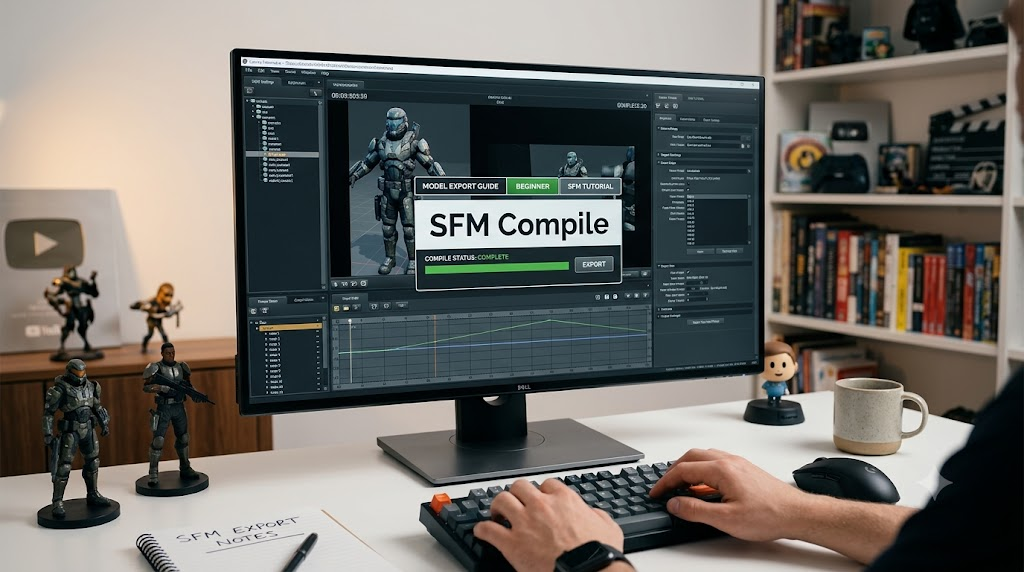
Have you ever spent hours making a cool 3D model, only to see a scary purple and black checkerboard when you open it? That colorful grid means your game engine cannot find your textures. It happens to almost every beginner artist. The good news is that learning how a proper SFM Compile process works will fix this issue completely. When you want to bring custom characters into Source Filmmaker, you must convert them first. Think of it like baking a cake; you have all the raw ingredients, but you need to bake them together into a final treat. Let us dive in and learn how to do this step by step.
What Is Model Compilation Anyway?
Model compilation is the magic bridge between your 3D software and your video project. Software like Blender or Maya saves files as FBX or OBJ. However, Source Filmmaker does not read those raw files directly. It needs specific game files to render shapes, colors, and movements. Running an sfm.compile command takes your raw meshes and wraps them up neatly. It packages your skins, bones, and physics rules into a bundle that the computer understands. Without this vital step, your virtual actors will stay trapped inside your design program forever. Mastering this translation step unlocks true creative freedom.
Essential Tools You Need for the Job
Before you start any sfm.compile task, you need to download a couple of helpful helper programs. The main tool built by Valve is called Studiomdl, which runs using text commands. Because typing long codes can feel scary, most creators use a friendly program called Crowbar. Crowbar gives you a nice window with buttons to click. It makes running an sfm.compile project much easier for beginners. You will also need a simple text editor like Notepad to write your instruction files. Keeping these applications ready on your desktop will save you a lot of time later.
Understanding the Magic QC Script File
The heart of every sfm.compile project is a small text file that ends with a QC extension. This file acts like a map for your computer. It tells the compiler where to find your mesh, what materials to use, and how the character should bend. If your QC file has a tiny typo, the compilation will fail instantly. Writing a clean QC file for your sfm.compile routine takes a bit of practice. Always double-check your file paths to make sure the software knows where your textures live. Think of the QC script as a recipe that tells the compiler how to mix your digital ingredients.
Organizing Your Project Folder Cleanly
A messy folder is the number one enemy of a smooth sfm.compile session. Before you touch any compilation buttons, set up a clean workspace. Create a main folder for your project, then add subfolders for your models, textures, and scripts. When you keep everything neat, your sfm.compile workflow becomes fast and painless. If textures are scattered across random desktop folders, the compiler will get confused and spit out errors. Good digital housekeeping makes fixing bugs much easier when things do not go according to plan on your first try.
Running Your Very First Compilation
Now comes the exciting part where you actually run your sfm.compile sequence. Open up your Crowbar tool and select the compile tab. Point it toward your QC file and tell it where to drop the finished game assets. Click the big compile button and watch the text log scroll down the screen. A successful sfm.compile run will finish with happy green text telling you that your files were created. If you see red error messages, do not panic. The log will tell you exactly which line caused the trouble so you can fix it right away.
Spotting and Fixing Common Error Messages
Even pro creators run into bugs during an sfm.compile task from time to time. Common errors include missing texture paths, broken bone weights, or bad file formats. When an sfm.compile action crashes, read the bottom of the log text box carefully. It usually points right to the broken asset. Fixing a typo in your QC file and running the sfm.compile process again usually clears the issue right up. Patience is your best friend here. Every error you solve makes you a better digital artist and a smarter content creator.
Testing Your New Model in Source Filmmaker
Once your sfm.compile process finishes with zero errors, it is time for the ultimate test. Open up Source Filmmaker and load your favorite map workspace. Spawn a new model and type your model name into the search bar. If your sfm.compile steps worked correctly, your character will appear in full color. Move the joints around with the motion editor to make sure the skin stretches properly. Seeing your custom creation standing alive inside the virtual world is an amazing reward for your hard work.
Best Practices for Advanced Creators
If you want to master your sfm.compile routine, follow a few golden rules from experienced animators. Always start by testing simple, low-poly static objects before building complex, rigged heroes. Save a backup copy of every QC file that finishes an sfm.compile run successfully. This gives you a safe template to use for future projects. Organizing your workflow keeps your computer tidy and your mind clear. Good habits early on lead to stunning animated movies later down the road.
Conclusion
Bringing custom 3D art to life feels like unlocking a superpower. While learning how an sfm.compile workflow operates can feel tricky at first, it gets much easier with practice. Just remember to keep your folders tidy, write clean QC scripts, and read your error logs closely. Now that you know the secrets behind a successful sfm.compile project, you are ready to build amazing things. Jump into your editor, try compiling your very first model today, and share your cool creations with the world!
Frequently Asked Questions
What is the main purpose of sfm.compile?
It converts raw 3D models and textures into game-ready files that Source Filmmaker can read and display properly.
Why do I see a checkerboard pattern on my model?
That checkerboard pattern means your textures are missing or your sfm.compile script cannot find the image files in your folders.
Do I need to use command line tools?
No, you can use user-friendly GUI programs like Crowbar to run your sfm.compile tasks without typing complex code.
What is a QC file in this process?
A QC file is a simple text script that tells the compiler how to link your mesh, textures, and physics data together.
Can I compile animated characters right away?
It is always best to start with simple, non-moving objects before trying to compile complex rigged characters with bones.
Where do my final files go after compilation?
Your finished model files are placed into your Source Filmmaker game directories so the software can load them instantly.